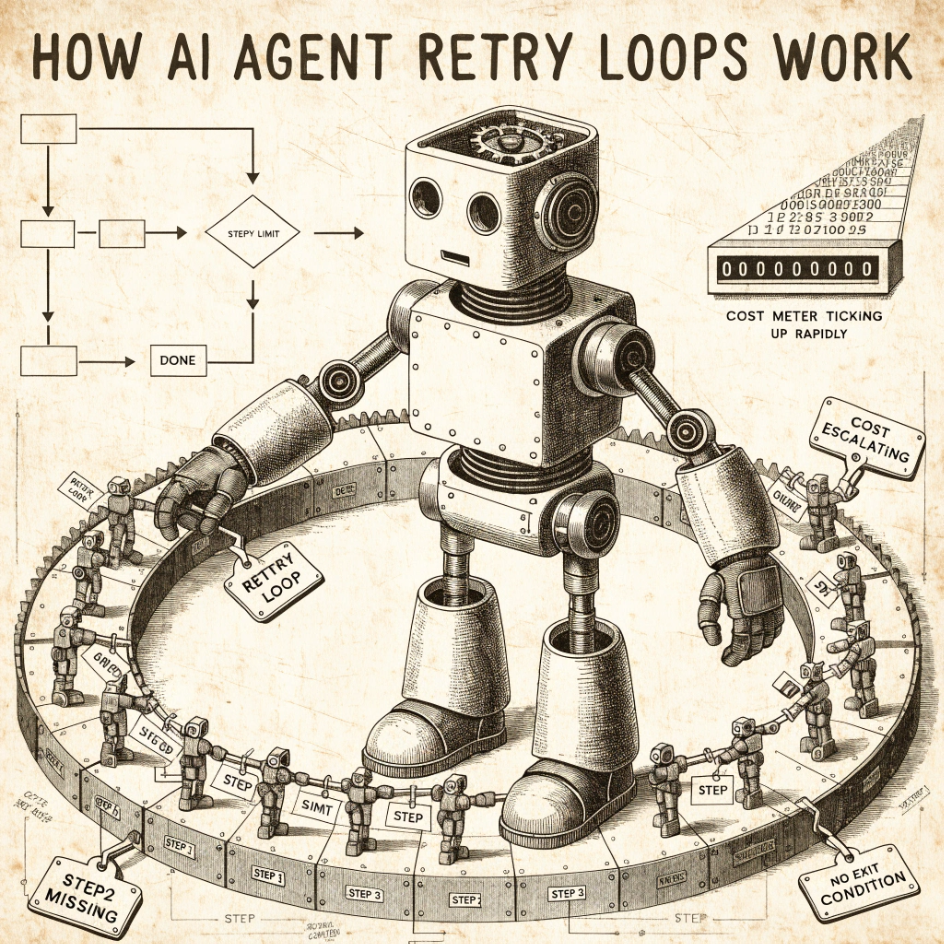
A retry loop occurs when an AI agent repeatedly attempts the same action because something went wrong and it does not know how to move past it. Each attempt costs money: the agent pays not just for the new step, but for carrying the full history of everything it already tried. A single loop can consume tens of thousands of dollars before anyone notices.
Why do retry loops happen?
Retry loops occur when an agent has no way to stop itself. Three missing pieces are usually to blame.
No step limit. Without a hard cap on how many actions the agent can take, it runs indefinitely. The AI model powering the agent does not have a built-in sense of "enough." It needs an external rule to stop it.
Confusing tool results. Agents work by calling tools: actions like searching the web, running code, or writing a file. When a tool returns a vague result (empty, an error message, or something that could mean either success or "try again"), the agent assumes the job is not done and retries. The tool may have succeeded. The agent cannot tell.
No definition of done. Instructions like "keep trying until it works" give the agent no way to know when to stop. It keeps generating responses that look reasonable because they are, while the job never actually completes.
How do I detect a retry loop?
Look for the same action repeating in the log. The clearest sign is the same step appearing five or more times in a row with the same inputs: same search query, same file write, same function call. Most agent frameworks keep a record of every step taken (called a trace or log). Repeated entries for the same action are visible immediately.
Watch session length and cost together. A session running for 30 or more steps with rising costs but no finished output is likely stuck. Costs climb quickly because each new step carries the full history of everything the agent has done before, and that accumulated history gets re-charged every time.
Watch for an agent that never lands. Most agents follow a simple cycle: think about what to do next, take an action, observe what happened, then think again. A healthy session ends when the agent decides the task is complete. A looping session keeps cycling without reaching that conclusion. If a session has gone well past the number of steps the task should require and still has not finished, something is wrong.
Set a cost alert per session. Define what a typical session costs for your use case. Any session exceeding five times that amount should trigger a notification. This is often the first signal before you have even looked at the log.
How do I prevent retry loops?
Set a hard step limit. Every agent should have a maximum number of steps it is allowed to take. When it hits that limit, it should summarize what it completed and stop.
Check for repeated actions before taking them. Before the agent runs a step, compare it against the steps it recently took. If the agent is about to repeat an action it just completed, flag the session and stop it instead.
Make tool results unambiguous. When an action succeeds, the response should say so clearly rather than returning an empty result or a generic message. One documented case found that adding explicit success responses reduced the number of steps from 14 to 2 for the same task.
Add a separate completion check. For complex workflows, a secondary check evaluates whether the task is finished, rather than leaving that judgment to the same agent that may be stuck.
Think twice before using an agent loop
Before adding guardrails to stop a retry loop, ask a more basic question: does this task need an agent loop at all?
Many tasks handed to AI agents are really just repetition: send this message to each person on a list, check each URL and report which ones are broken, process each file in a folder. An agent can do all of those. So can a short Python script or a simple command — reliably, cheaply, and without any possibility of getting stuck.
The cost difference is significant. When a script processes 100 items, it does exactly 100 steps and stops. When an agent processes 100 items, it may do 100 steps, or it may do 800, depending on how the task was framed and what errors it encounters along the way.
A useful question to ask before building any agent workflow: Can we achieve this with a simple program? If the task is "repeat this action across a list of inputs and collect the results," the answer is often yes. You do not need a technical background to use this approach. Ask your agent directly: "Can we write a short script to handle the repetitive part of this, instead of having the agent loop?" A capable agent will tell you whether that is feasible and help you build it in a few minutes.
The best retry loop prevention is not always better guardrails. Sometimes it is using the right tool for the job from the start.
What are common mistakes to avoid?
- Running agents without a step limit
- Tools that return vague results on both success and failure
- Instructions that never define what "done" looks like
- No cost alerting to catch runaway sessions early
- Assuming the agent will decide on its own when to stop